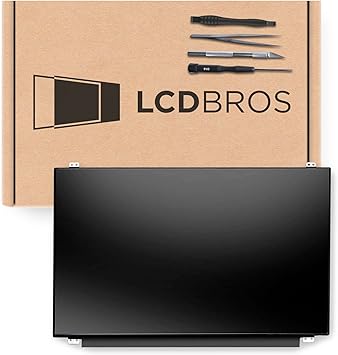
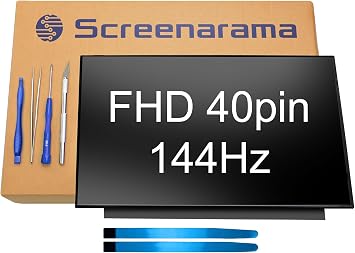
Why Choose Ubuy for Laptop Replacement Screens?
When your laptop's screen betrays you with cracks, dead pixels, or dismal brightness, it's not just a technical issue-it's a disruption to your daily life. Whether it's the frustration of missed meetings or the annoyance of squinting at faded images, we understand the hardship. Ubuy alleviates that pain by offering a diverse range of high-quality laptop replacement screens all at your fingertips. Our platform emphasizes user experience, ensuring you can effortlessly browse through an array of premium brands like Dell, HP, and Asus. You're not just purchasing a screen; you're investing in your productivity and peace of mind. Plus, with our international shipping options, you don't have to worry about finding the right part locally. Ubuy connects you with compatible screens that can make your laptop feel brand new, ensuring you can leap back into your workflow seamlessly. Experience a hassle-free shopping journey filled with transparency, wide selection, and above all, the promise of reliability.
- Wide selection of Laptop Replacement Screens.
- Premium brands available like Dell and HP.
- Seamless international shopping experience.
Top Laptop Replacement Screens Collections
Navigating through the vivid world of laptop replacement screens can be overwhelming, yet understanding what you need is essential. At Ubuy, our top collections include popular options like LCD and LED screens, each offering distinct advantages. LCD screens, known for their sharpness and clarity, sport a range of specifications ideal for work and leisure. Conversely, LED screens shine brighter and are more energy-efficient, making them perfect for those who often find themselves working in varied lighting conditions. With curated collections that encompass budget-friendly and premium choices, Ubuy ensures that whether you are browsing for a high-resolution graphics replacement or an affordable, functional display for your studies, you will find what you need. Explore Ubuy's collections to find the screen that promises both quality and value.
- Variety of LCD and LED options.
- Curation for all budget levels.
- Directed toward enhancing productivity.
LCD vs LED Laptop Replacement Screens: Comparison
Choosing between LCD and LED laptop replacement screens can feel like a tricky puzzle, but understanding their core differences makes it simpler. LCD screens, which utilize liquid crystals, afford remarkable detail and clarity, rendering images beautifully, yet they might lag behind in brightness when compared to their LED counterparts. On the other hand, LED screens leverage light-emitting diodes to deliver brightness levels that pop, effectively standing out in both direct sunlight and dim environments. For creators working with graphics, color fidelity and vibrancy make all the difference, while casual users may prefer the sharper images of LCDs for reading or office tasks. Ultimately, selecting between these two types will depend on your specific requirements: creativity's canvas or office utility. Explore Ubuy to discover a variety of both LCD and LED screens at competitive prices to suit your needs.
- LCD screens emphasize clarity and detail.
- LED screens offer superior brightness.
- Tailored choices for creative and casual users.
How to Choose the Right Laptop Replacement Screen
Selecting the appropriate laptop replacement screen can transform your digital experience. Your decision hinges on factors like screen technology (LCD vs. LED), size compatibility, and resolution. Begin by assessing your laptop's model specifications, as this will guide you towards screens defined by compatibility. Consider how you use your laptop daily; a high-resolution display may be vital for graphic design, while text readability suffices for casual browsing. Additionally, think about luminance-bright screens enhance visibility, especially in well-lit spaces. Ubuy provides comprehensive details on all available replacement screens, alongside guidance to ensure you're well-equipped to make informed choices. Don't just settle for any screen; choose a replacement that satisfies your expectations and enhances your overall laptop experience.
- Assess laptop model for compatibility.
- Consider daily usage for functionality.
- Focus on resolution and brightness levels.
Top Laptop Replacement Screens Brands
When it comes to laptop replacement screens, brand reputation can significantly influence performance and durability. At Ubuy, we feature highly trusted brands such as ASUS, Lenovo, and Samsung, each known for their innovation and commitment to quality. ASUS screens are revered for their clarity and vibrant colors, making them excellent for graphic designers. Lenovo, on the other hand, focuses on reliability and durability, perfect for business and educational environments. Samsung screens are recognized for their energy efficiency and portability, ideal for students on the go. Choosing a reputable brand ensures you receive a product that not only matches your laptop's requirements but also meets your high expectations for functionality.
- Highly trusted brands like ASUS and Lenovo.
- Quality assurance and innovation.
- Tailored options for different user needs.
Select the Right Laptop Replacement Screen to Boost Your Productivity
Choosing the right laptop replacement screen is essential to enhance your productivity and ensure an optimal working environment. Start with understanding the screen type you desire; LCD screens offer crisp images and are usually lighter on the battery, while LED screens present vibrant colors and higher brightness levels. Consider the size and resolution based on your usage, whether for detailed graphic work or general office tasks. Brands like Dell, HP, and Lenovo can provide varying options catering to different needs, ensuring durability and quality. Awareness of your laptop's specifications is paramount in narrowing down available choices, enhancing compatibility with your current setup. With Ubuy, discovering and ordering your ideal screen has never been easier.
- Understand screen types for better functionality.
- Choose brands known for durability.
- Ensure compatibility with existing laptop setup.